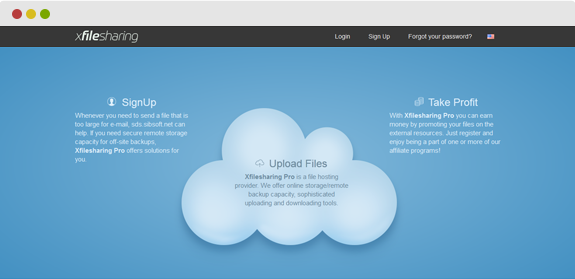
Live Demo
XUpload Free
Open Demo
Open Demo
XUpload Nano 1
Open Demo
Open Demo
About
XUpload is the powerful upload progress bar of choice for your website. Fully developed using Perl programming, XUpload allows your site to accept any file uploads while displaying a real-time progress bar. XUpload was SibSoft’s first product and is a longtime customer favorite.
Upload progress indicators can be displayed on the upload page, or via a pop-up window. There are multiple viewing options to choose from, like completed percentage, upload speed (measured in kbps), time elapsed and remaining, and the upload file size (if you’re doing multiple uploads - this is a must). These features give you all the file upload details you need. If all those features aren't enough, you can also stop uploads on demand with the simple press of a button.
We know there's nothing worse than a file upload failing without warning. XUpload displays messages to let you know if a file upload fails. XUpload works well on any type of server. If you run virtual/shared or dedicated directories on differing platforms, XUpload can handle the job. Apache, IIS, Linux, or Windows - XUpload works on them all.
That's right - there are no integration issues between XUpload and existing server infrastructures. That's because XUpload internally passes all parameters, allowing the entire process to run completely transparent to your existing environment. You can integrate XUpload with any type of framework, from PHP to JSP, and beyond. The only requirement is that you have a web server, any type of web server, with Perl installed. You won't have to fuss around with Flash or Java - you simply need Perl and DHTML, that's all.
Another unique feature is SibSoft's use of controlled AJAX. You can stop or start AJAX with a simple parameter change to the config file. Progress window themes are customizable, and you also get FREE installation support services with the purchase of XUpload Pro. (This does not apply to the XUpload Free version. See the comparison chart for more details.)
There are currently 2 versions of XUpload: XUpload Free and XUpload Pro. Please look at feature comparison list.
Upload progress indicators can be displayed on the upload page, or via a pop-up window. There are multiple viewing options to choose from, like completed percentage, upload speed (measured in kbps), time elapsed and remaining, and the upload file size (if you’re doing multiple uploads - this is a must). These features give you all the file upload details you need. If all those features aren't enough, you can also stop uploads on demand with the simple press of a button.
We know there's nothing worse than a file upload failing without warning. XUpload displays messages to let you know if a file upload fails. XUpload works well on any type of server. If you run virtual/shared or dedicated directories on differing platforms, XUpload can handle the job. Apache, IIS, Linux, or Windows - XUpload works on them all.
That's right - there are no integration issues between XUpload and existing server infrastructures. That's because XUpload internally passes all parameters, allowing the entire process to run completely transparent to your existing environment. You can integrate XUpload with any type of framework, from PHP to JSP, and beyond. The only requirement is that you have a web server, any type of web server, with Perl installed. You won't have to fuss around with Flash or Java - you simply need Perl and DHTML, that's all.
Another unique feature is SibSoft's use of controlled AJAX. You can stop or start AJAX with a simple parameter change to the config file. Progress window themes are customizable, and you also get FREE installation support services with the purchase of XUpload Pro. (This does not apply to the XUpload Free version. See the comparison chart for more details.)
There are currently 2 versions of XUpload: XUpload Free and XUpload Pro. Please look at feature comparison list.
Rate it
Features
XUpload Pro 3.1
XUpload Free
| Real time progress bar Upload info can be updated up to 50 times per second with actual data |
![]() |
![]() |
| Upload speed meter You track both average and momental upload speeds |
![]() |
![]() |
| Total/Transfered bytes counter You always know total upload size and how much already uploaded |
![]() |
![]() |
| Transfer failure detection We detect upload interruption so progress bar won't be working forever in that case. |
![]() |
![]() |
| Compatible with well known browsers (IE, Opera, Mozilla, Safari) We did a hard work to make our script compatible with most used browsers |
![]() |
![]() |
| Integration with PHP/JSP code XUpload can send POST request with upload details & all form fields to your script |
![]() |
![]() |
| Large files upload (No limitation!) Max upload filesize is limited only by your filesystem and Apache/IIS webserver |
![]() |
![]() |
| Works on a standard server or a secure server (https) You can use it on your secure sites |
![]() |
![]() |
| Can be integrated with absolutely any framework You can insert upload from HTML code anywhere you want |
![]() |
![]() |
| Popup upload progress bar Upload progress information can be shown in pop-up window so you will be able to see upload results even after upload complete |
![]() |
![]() |
| Inline upload progress bar Upload progress can be shown directly on your page over other elements or inside upload form box |
![]() |
| Upload speed graph You visually track speed statistics and see upload speed peaks and lows |
![]() |
| Email notifications (customizable) You can send custom upload notification emails with detailed info to uploader & admin |
![]() |
| Multiple files upload Able to upload UNLIMITED number of files at once |
![]() |
| Stop file transfer by clicking Stop button You're able to stop transfer at any moment |
![]() |
| Adjustable upload file size limit You're able to specify exact upload size limit |
![]() |
| Automatically stop file transfer when upload limit exceeded XUpload interrupting upload BEFORE file completely transferred to the server. That will save your traffic and time. |
![]() |
| 2 Ways of adding multiple files (DHTML) We provide 2 scripts for adding upload slots to your page dynamically |
![]() |
| 3 Upload Bar Templates included We provide 3 custom upload progress window templates |
![]() |
| Compatible with mod_security Apache module post caching Caching problems with mod_security or mod_gzip are solved with our script |
![]() |
| Multilanguage support Every error message is well-customizable in one config file |
![]() |
| Automatically detect path to scripts You don't have to specify same script URL in many places, only one is enough |
![]() |
| Upload form password protection You can protect your uploads with password specified in config. Password sending to server under MD5 encryption |
![]() |
| Only one config file to edit You don't have to update you upload form code everytime you change upload options. We automatically receive max uploadsize, number of files, allowed extensions, password/email requirements from server. |
![]() |
| Working on Windows on Apache & IIS web servers Now working on IIS too! |
![]() |
| Working on cluster servers (New!) | ![]() |
| Custom upload modes (New!) You can set up several upload modes in config(size and number limits) and specify only mode Id in upload form to apply that limit for this custom upload form |
![]() |
| AJAX progress update AJAX mode allow not to reload progress bar window and show progress info smoothly | ![]() |
| FREE Installation support service We provide FREE XUpload installation for Pro version owners |
![]() |
Screenshots
click to enlargeRequirements
- Apache or IIS based system on Linux or Windows
- Any Perl version
- Hosting without upload caching
Download XUpload
| XUpload Free 2.7 | XUpload Pro 3.1 | XUpload Nano 1 |
|
Free Download |
One domain license: $37
|
One domain license: $25
|
Please note that by ordering XUpload Pro, you not just receiving zip file with install package, but also receiving free install and support service by your request. Nevertheless, XUpload Free distributed "as is" and no install or support service will be provided.
Install instructions
Please note that following install instructions applicable to XUpload Pro only.
For XUpload Free install instructions please refer INSTALL manual included in zip package.
1) Copy all files/folders except "htdocs" folder to your cgi-bin folder (or folder where perl scripts running). Copy all files from "htdocs" into your htdocs folder (html, httpdocs, public_html) or folder which contains your HTML files.
2) CHMOD "uploads" and "temp" folders to 777.
3) Modify XUploadConfig.pm file with your server details (path to script directory and URLs).
4) Edit upload_form.html and change URL-TO-SCRIPT to your cgi scripts folder URL.
That's all! Now you can go to www.yoursite.com/.../upload_form.html and start uploading files with XUpload.
Themes
You can create your own progress window themes. Create new file in Templates folder and use the same tags (
) from default template (default.html).
To use custom template set variable x_tmpl_name in upload_form.html to a filename without extension (e.g. var x_tmpl_name = 'pro1';).
Good luck!
P.S. If you have problems with "File upload complete", this could be caused by mod_security installed in your Apache. Try to add these to .htaccess file in the same folder where upload.cgi is:
<IfModule mod_security.c>
SetEnvIfNoCase Content-Type \
"^multipart/form-data;" "MODSEC_NOPOSTBUFFERING=Do not buffer file uploads"
</IfModule>
1) Copy all files/folders except "htdocs" folder to your cgi-bin folder (or folder where perl scripts running). Copy all files from "htdocs" into your htdocs folder (html, httpdocs, public_html) or folder which contains your HTML files.
2) CHMOD "uploads" and "temp" folders to 777.
3) Modify XUploadConfig.pm file with your server details (path to script directory and URLs).
4) Edit upload_form.html and change URL-TO-SCRIPT to your cgi scripts folder URL.
That's all! Now you can go to www.yoursite.com/.../upload_form.html and start uploading files with XUpload.
Themes
You can create your own progress window themes. Create new file in Templates folder and use the same tags (
Good luck!
P.S. If you have problems with "File upload complete", this could be caused by mod_security installed in your Apache. Try to add these to .htaccess file in the same folder where upload.cgi is:
<IfModule mod_security.c>
SetEnvIfNoCase Content-Type \
"^multipart/form-data;" "MODSEC_NOPOSTBUFFERING=Do not buffer file uploads"
</IfModule>
License
This program is the intellectual property of SibSoft Ltd. By ordering one copy of XUpload Pro license,
you obtain right to use (install) it on only one domain/website. Redistribution is prohibited,
and copies are permitted only for backup purposes. You are free to modify the program
for your own use, but you may not distribute any modified copies of it. Feel free to use
XUpload Free version on any domains you wish, however XUpload Pro could be used on only one domain per
license.
XUpload Changelog
PRO 3.1 (2009-06-01) + Show instant alert error in Tiny form. + Implemented file attach feature for admin confirm emails + Sending correct GET to post.php when JS disabled + Working fine in frames now + Improved upload.cgi perfomance + Improved upload_status.cgi perfomance + Improved AJAX requests stability PRO 3.0 (2008-01-31) * New upload progress engine * Improved AJAX only progress bar * Works much better on clusters + Lots of small fixes + Allowed referer domains filter + Random filename feature + Added ZIP archive extract feature + Ajax timeout/server error handling + Decreased progress bar Traffic/CPU/RAM consumption + Better post.cgi file list + post.php + Show Folder/Password fields only if enabled in config + Antialiased speed graph a bit + Added 'No files uploaded' script validation to avoid spam PRO 2.5 (2007-05-10) * Implemented realtime files upload status/size * Fixed file order in POST + Changed checkboxed in upload_form.html to radiobuttons + Fixed upload button hiding after starting upload + Simplified template/style settings + Using CGI MIME-type detection instead of File::MMagic + Added Min/Max single file size limits + Added 'Not Allowed' extensions + Misc perl code/templates improvemets + Improved Inline1 mode layer + added X Close button + Fixed bug with files having no extension + Misc JS improvements & compatibility fixes * New Tiny2 upload form with Progress Pie + Added on-page custom JS function support for inline3 mode (Tiny2 example) PRO 2.4 (2007-01-18) + Fixed bug when restarting upload after being stopped + Hiding previous progress bar data when stopping upload/having error + Fixed reSubmitting problem after Back button + Fixed mod_security possible problem (URL containing .php) + Fixed inline JS for XHTML + Fixed 405 error when POSTing to .htm(l) page * Ajax mode implemented * 4th progress bar mode: html-on-page + Tiny XUpload demo upload form + Added MIME type detection + Some code cleanup PRO 2.3 (2006-11-03) * Custom upload modes * IP restriction rules + Better browsers support + Implemented Close function for Inline modes + JS checking for password if enabled + Added uploader email notification field, JS validation if enabled + Using custom url_post hidden field from upload_form.html + Send uploader hostname in POST/Email + Custom file list styling + Fixed JS errors in pop-up with fast uploads + Normalized file fields naming after deleting file slots + Password MD5 hashing + Added uploaded files expiration option + Removed redirect option from config, using url_post now only + Added min upload size limit + Show upload size limits in error messages now + Sanitizing tags in Descriptions, text limited to 32 symbols PRO 2.2 (2006-09-14) * Implemented speed bar graph * Configurable ability to add comment to every file * Added Inline 2 progress bar window mode * Added post.php params catcher example + Messages window became scrollable to save up space + POSTing client IP & upload duration + Old Perl versions (including 5.005) support added PRO 2.1 (2006-07-04) * Implemented password protection + Showing alert in upload_form.html when filesize exceeded or wrong password + Implemented rename mask + Detecting zero-size or unexisting file + Misc fixes Pro 2 (2006-05-24) * Dynamically setting Upload Settings on upload_form.html * Logging all messages to file * Now upload working fine even with JS disabled + Sending filesize,original/saved filename in POST + Not using POST/Redirect urls from form anymore due to security reasons + Added 'No files to upload' JS validation + Removed script URLs from xupload.js file + Changed UID generation + Removed extra useless parameters from POST + Improved fast upload detection + Added filaname mask validation + Added custom error messages + Added custom notification email Subject + Added mod_gzip.c fix to .htaccess Pro (2006-04-03) * Windows compatibility * Much better Opera/Firefox compatibility * New cool upload form * Stop Upload button * CHMODing files after upload * Creating subfolders * Auto terminating upload when filesize limit exceeded + New upload form design + Improved pop-up templates + Better "Transfer complete!" incorrect situations handling + Fix for mod_security
Support
If you have any problems with installing or integrating XUpload Pro - please email us and we will
help you with installation and integration.
If you not sure about your server configuration or have any questions - please contact us at [email protected], use support forum or use contact form for more information.
Updates are free for one year.
If you not sure about your server configuration or have any questions - please contact us at [email protected], use support forum or use contact form for more information.
Updates are free for one year.